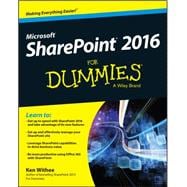
Learn all the ins and outs of SharePoint 2016, launch your site, collaborate with coworkers, and go mobile There's no doubt about it, SharePoint is a complex creature. But when broken down into easily digestible chunks, it's not quite the beast it appears to be right out of the gate—that's where SharePoint 2016 For Dummies comes in! Written in plain English and free of intimidating jargon, this friendly, accessible guide starts out by showing you just what SharePoint 2016 is, translating the terminology, and explaining the tools. Then it helps you create a site, work with apps, and master basic SharePoint administration. Next, you'll learn to use SharePoint 2016 to get social, go mobile, manage content, and connect with others through working with Office 365, archiving documents, developing workflows, and so much more.
SharePoint is truly one of Microsoft's crown jewels. Launched in 2001, it offers organizations a secure place to store, organize, share, and access information under the Microsoft Office system umbrella—all in a single portal. Whether you're new to SharePoint 2016 or new to SharePoint altogether, SharePoint 2016 For Dummies is the fast and painless way to get a site up and running, branded, and populated with content. Plus, this new edition adds the need-to-know information for administrators, techsumers, and page admins who want to leverage the cloud-based features online, either as a standalone product or in conjunction with an existing SharePoint infrastructure.
- Get up to speed with SharePoint 2016 and take advantage of new features
- Set up and effectively manage your SharePoint site
- Use SharePoint 2016 in the Cloud with SharePoint Online
- Leverage SharePoint 2016 capabilities to drive business value
If you want to learn SharePoint from the ground up, get your site going, and start collaborating, SharePoint 2016 For Dummies will be the dog-eared reference you'll turn to again and again.
Rosemarie Withee is President of Portal Integrators LLC and Founder of Scrum Now with locations in Seattle, WA and Laguna, Philippines. She is also the lead author of Office 365 For Dummies.
Ken Withee writes TechNet and MSDN articles for Microsoft and is the author of SharePoint 2013 For Dummies.
Introduction 1
Part 1: Getting Started with SharePoint 2016 5
CHAPTER 1: Getting to Know SharePoint 2016 7
CHAPTER 2: Introducing SharePoint Online 21
CHAPTER 3: Wrangling SharePoint Functionality 29
Part 2: Diving Headfirst into SharePoint 2016 37
CHAPTER 4: Getting to Know the Team Site 39
CHAPTER 5: Working with Web Pages 51
CHAPTER 6: Working with Web Parts 63
CHAPTER 7: Getting Familiar with Apps 75
CHAPTER 8: Creating a Custom App 91
CHAPTER 9: Viewing Data in Your Apps 109
Part 3: Becoming a SharePoint Administrator 127
CHAPTER 10: Getting Familiar with Site Settings 129
CHAPTER 11: Configuring Site Navigation 141
CHAPTER 12: Understanding SharePoint Features 151
CHAPTER 13: Changing the Look and Feel of Your Site 157
CHAPTER 14: Securing Your SharePoint Site 171
Part 4: Getting Social and Going Mobile 189
CHAPTER 15: Taking Control of Your Personal Profile and Content 191
CHAPTER 16: Getting Social 205
CHAPTER 17: Taking SharePoint Mobile 229
Part 5: Managing Enterprise Content 235
CHAPTER 18: Sharing and Approving Content 237
CHAPTER 19: Finding What You Need with Search 259
CHAPTER 20: Archiving Documents and Records 275
CHAPTER 21: Gaining Total Control with Workflow 287
Part 6: Office 365 and SharePoint Online 307
CHAPTER 22: Creating a Public Website 309
CHAPTER 23: Creating a Client Portal in SharePoint Online 321
Part 7: The Part of Tens 331
CHAPTER 24: Ten Hot SharePoint 2016 Topics 333
CHAPTER 25: Ten Ways to Maintain Control with Governance 339
CHAPTER 26: Ten Ways to Become a SharePoint Guru 345
Index 353
 Other versions by this Author
